Everything Optical does
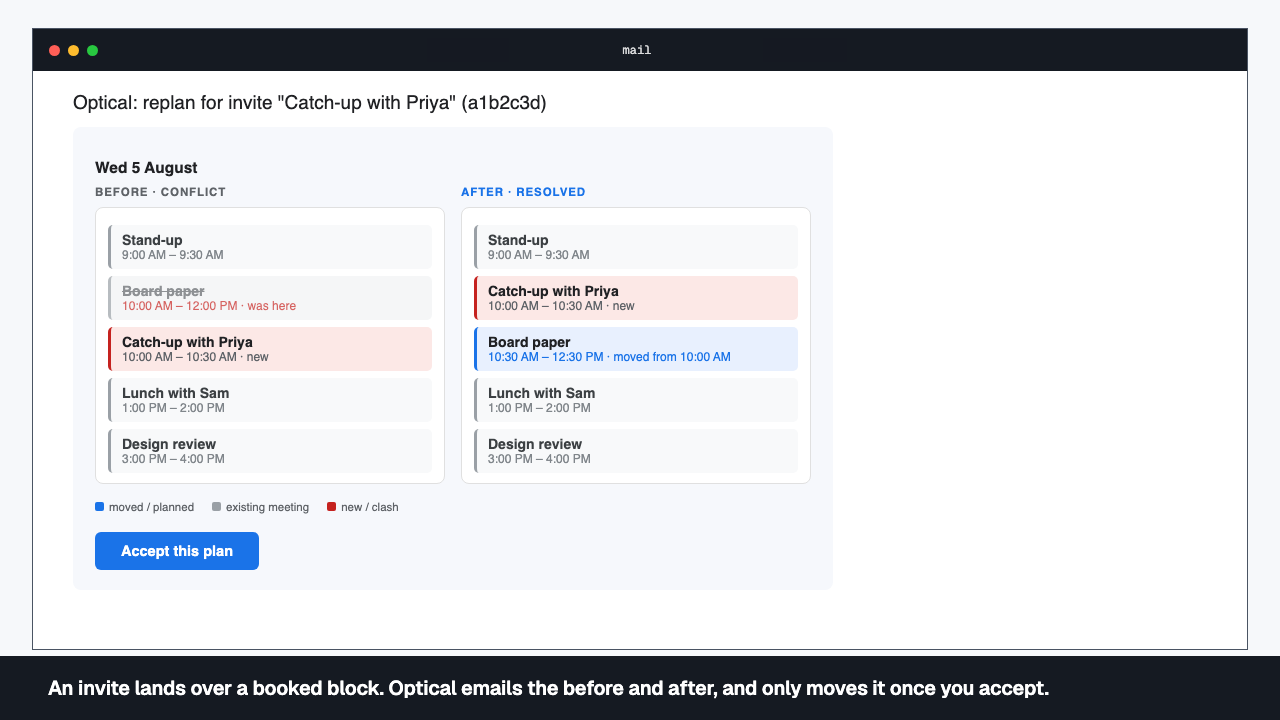
An invite lands over a booked block. Optical emails the before and after, and only moves it once you accept.
Every clash resolved. No manual calendar tetris.
Invites and cancellations land on your calendar all day, and someone has to absorb the cascade. Optical watches for the change, works out the smallest replan that resolves it, and sends you the before and after — not a rebuilt week, one clash, absorbed, with a single click to accept it.
- A calendar push debounces for about ten seconds, then Optical resolves exactly the week the change fell in.
- You get a before-and-after email with a plain-English list of what moved and what's new, and an Accept button.
- An identical plan sends no email at all — you only hear from Optical when something actually changes.
- Nothing Optical plans reaches your calendar until you accept. There is no auto-accept.
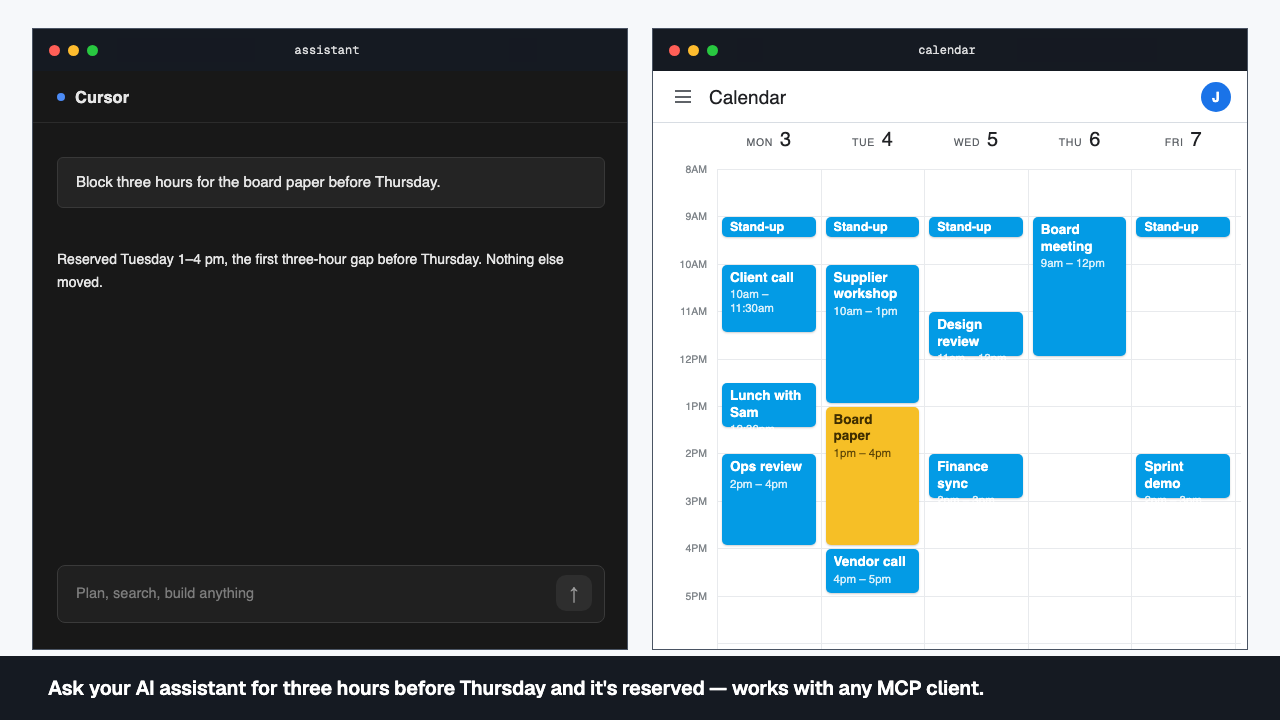
Ask your AI assistant for three hours before Thursday and it's reserved — works with any MCP client.
Say it once. It's on the calendar.
No app to open, no form to fill in. Say what needs to happen and how it’s constrained, and the assistant you already use turns it into a task with real timing rules — a deadline, a preferred window, a dependency on other work — then places it in your week.
- Describe work as a task — duration, a deadline, a preferred window, what it depends on — and Optical takes the constraint.
- A solver packs it into your week alongside everything else, following your standing preferences for what should go where.
- You see the placement before it's accepted, so nothing Optical plans lands on your calendar until you accept.
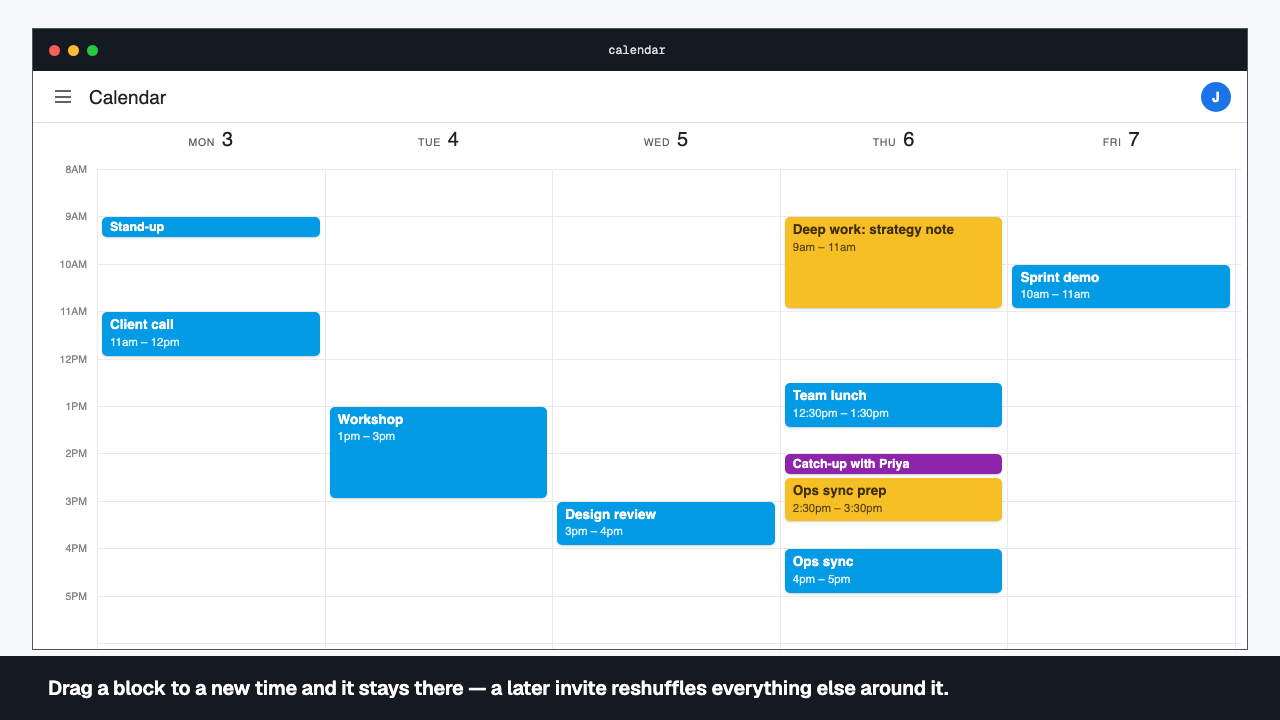
Drag a block to a new time and it stays there — a later invite reshuffles everything else around it.
You are still the boss of your week.
Optical proposes a week, but your hand on the calendar always wins. Drag a block somewhere better and it stays there through every replan that follows — everything else reshuffles around your choice, not over it.
- Drag a block to a new time and Optical treats that placement as authoritative on the next replan.
- Dragging a block earlier lowers its earliest-start floor — it never drifts earlier than that, though later placement is still possible.
- A pin moves with the block you dragged, so a fixed commitment stays fixed.
- The replan that follows is triggered by the calendar changing, not by the drag itself.
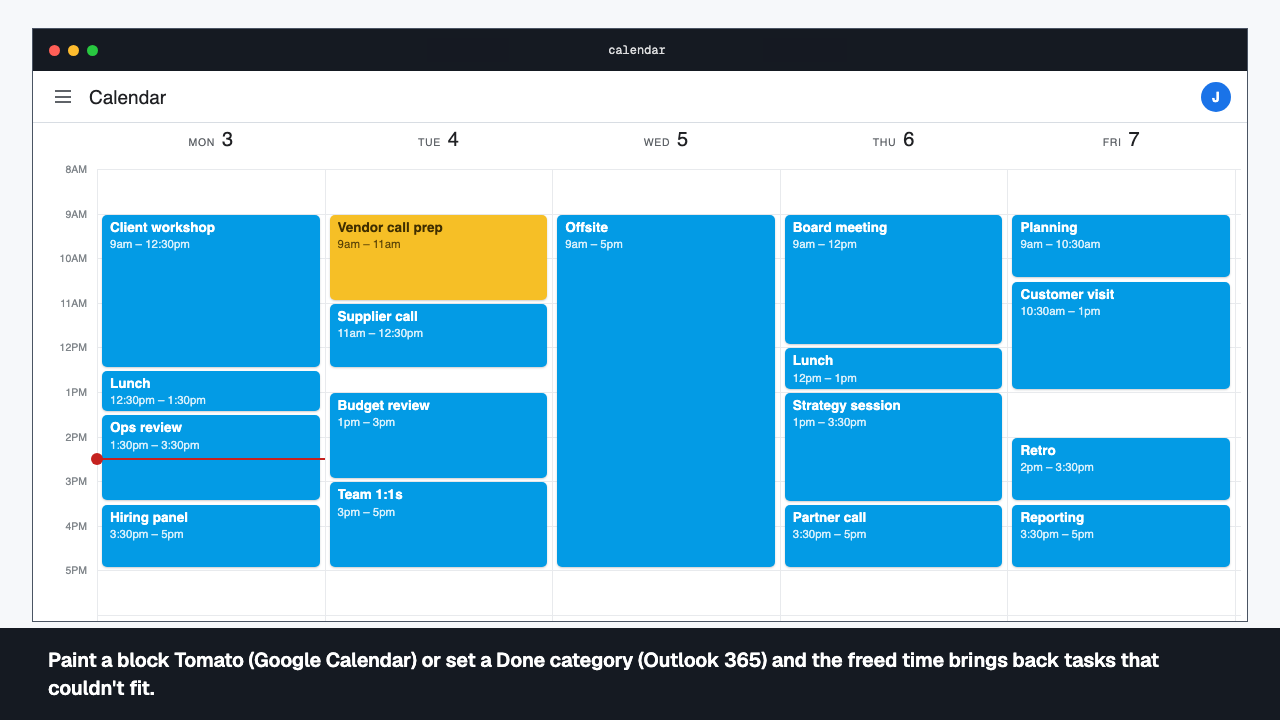
Paint a block Tomato (Google Calendar) or set a Done category (Outlook 365) and the freed time brings back tasks that couldn't fit.
Done means done — and nothing stays lost.
Finishing something shouldn’t need a form. Recolour a block on the calendar and Optical reads that as done: the block clears, the task stops being scheduled, and the time it held is handed straight back to whatever couldn’t fit the week before.
- Recolour any block on a task Tomato — or apply the done category in Outlook on Microsoft 365 — and Optical marks it done on the next replan.
- The done block's calendar events are removed when you accept the next replan, and the task drops out of every future resolve.
- Time it freed up is immediately available to work that couldn't fit before — nothing sits idle.
- Repaint a block off the done colour while it still exists and the task revives.
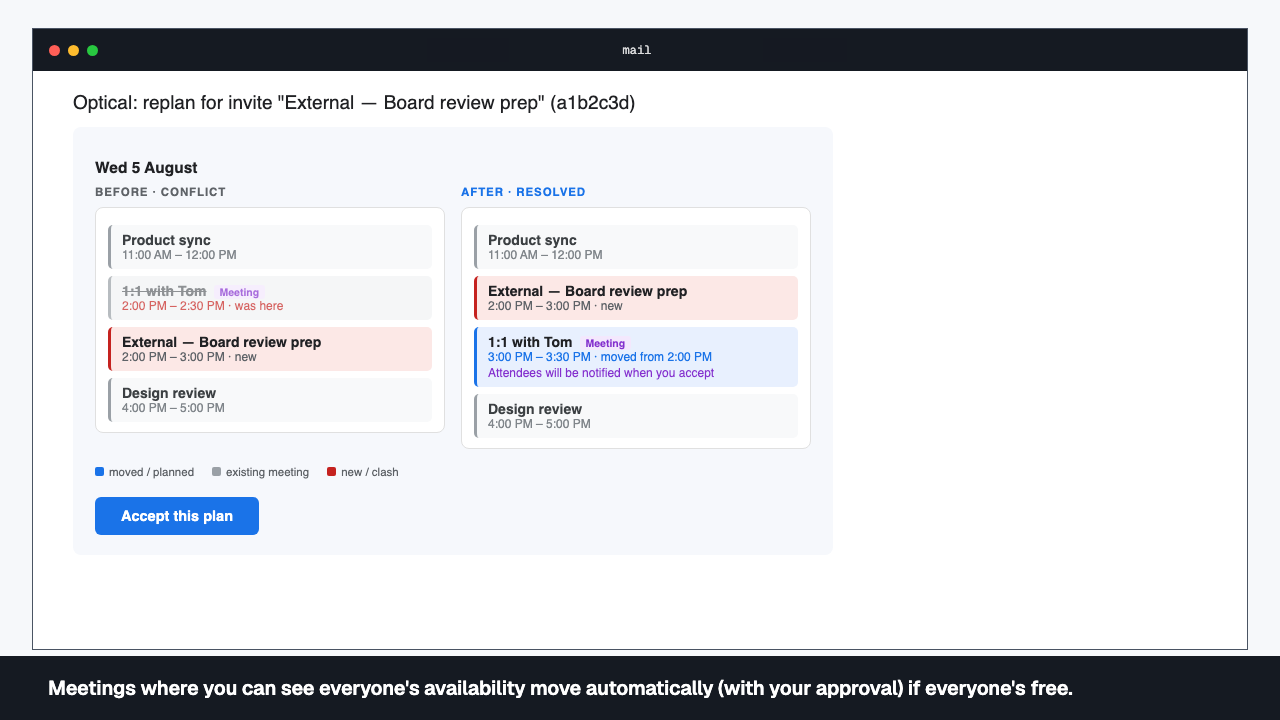
Meetings where you can see everyone's availability move automatically (with your approval) if everyone's free.
Booked over? Solved.
When an invite lands over a meeting you organise, Optical checks whether the attendees are free at other times and proposes a new time that fits everyone’s schedule.
- Meetings you organise can be relocated to a slot where every attendee who counts is actually free.
- Which attendees count is a policy you set — everyone who hasn't declined by default, or only those who've accepted.
- If an attendee's availability can't be read, the meeting freezes in place rather than moving blind.
- A move is proposed with a Meeting chip; invitees are only notified once you accept.
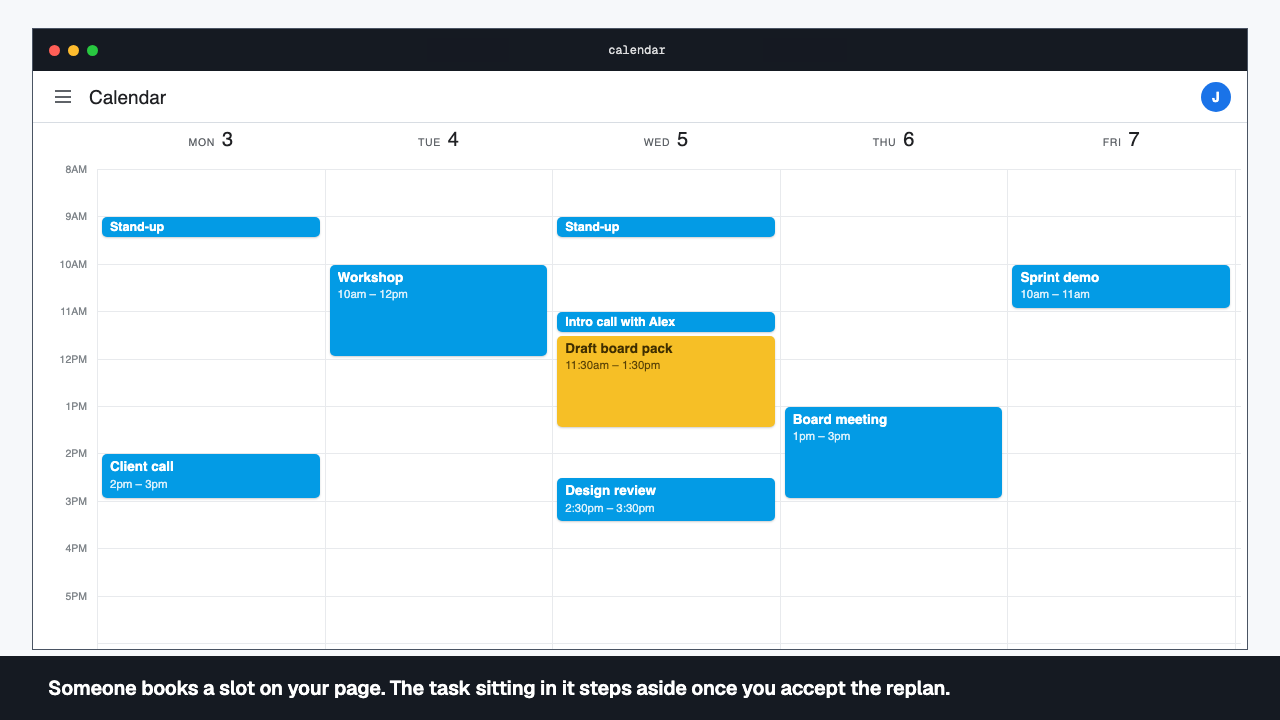
Someone books a slot on your page. The task sitting in it steps aside once you accept the replan.
A booking page for external meetings.
For those who can’t see your calendar, a booking page that knows what can and can’t be moved. Time a task is holding is offered as bookable, and if someone takes it, the task steps aside on the next replan instead of blocking the slot.
- A public page at your own link, no sign-in for the person booking, protected against abuse.
- You set durations, buffers, minimum notice, how far out it opens, and how meetings happen — a call, a room, your choice.
- Time held by a movable task is offered as free; that task simply replans around the booking once you accept.
- A booker who cancels frees the slot again after a short grace period.
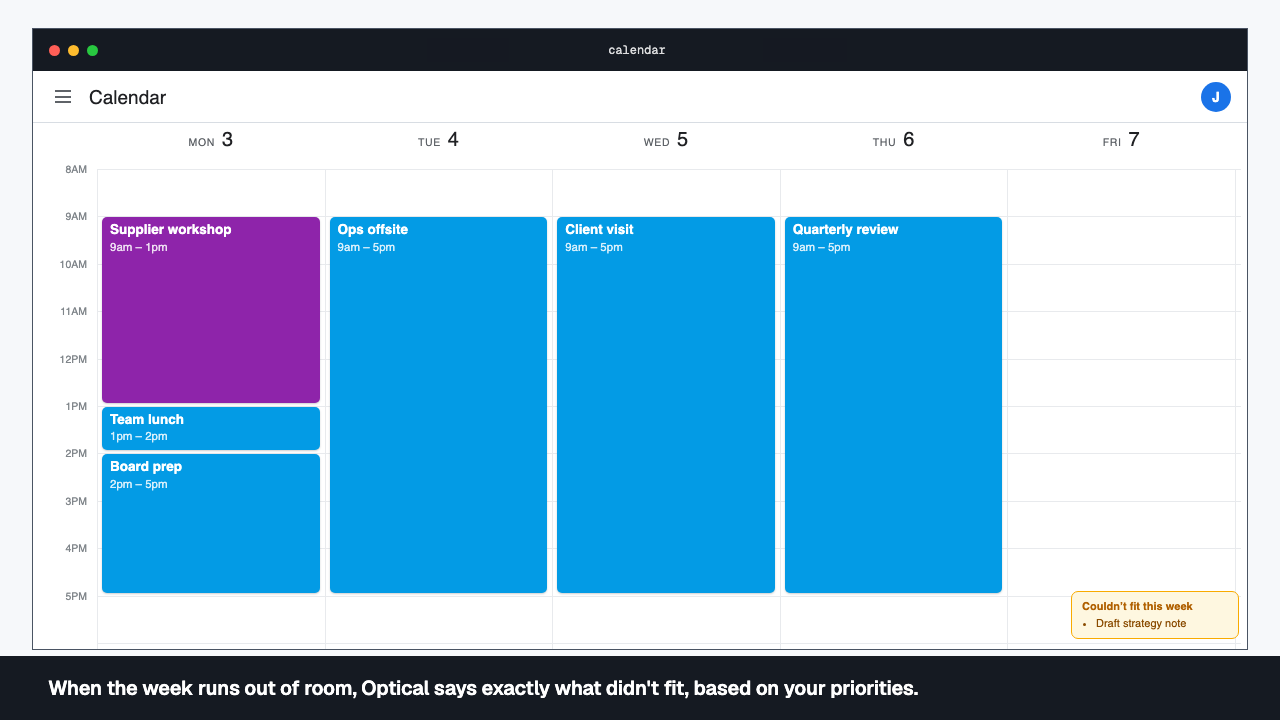
When the week runs out of room, Optical says exactly what didn't fit, based on your priorities.
No silent drops. Ever.
A week that’s too full doesn’t fail silently. Optical tells you exactly what couldn’t fit and why — a deadline it couldn’t beat, a gap that wasn’t long enough — and puts it straight back in the backlog for the next resolve, instead of letting it quietly vanish.
- Nothing is ever placed in the past — the floor for every block is now, rounded up to the nearest quarter hour.
- An over-subscribed week drops the lowest-priority droppable task rather than breaking a hard constraint.
- Every drop comes back with a reason and the constraints that caused it, in plain language, not a blank gap.
- A task marked must-include is never dropped; if that's impossible, Optical says so.
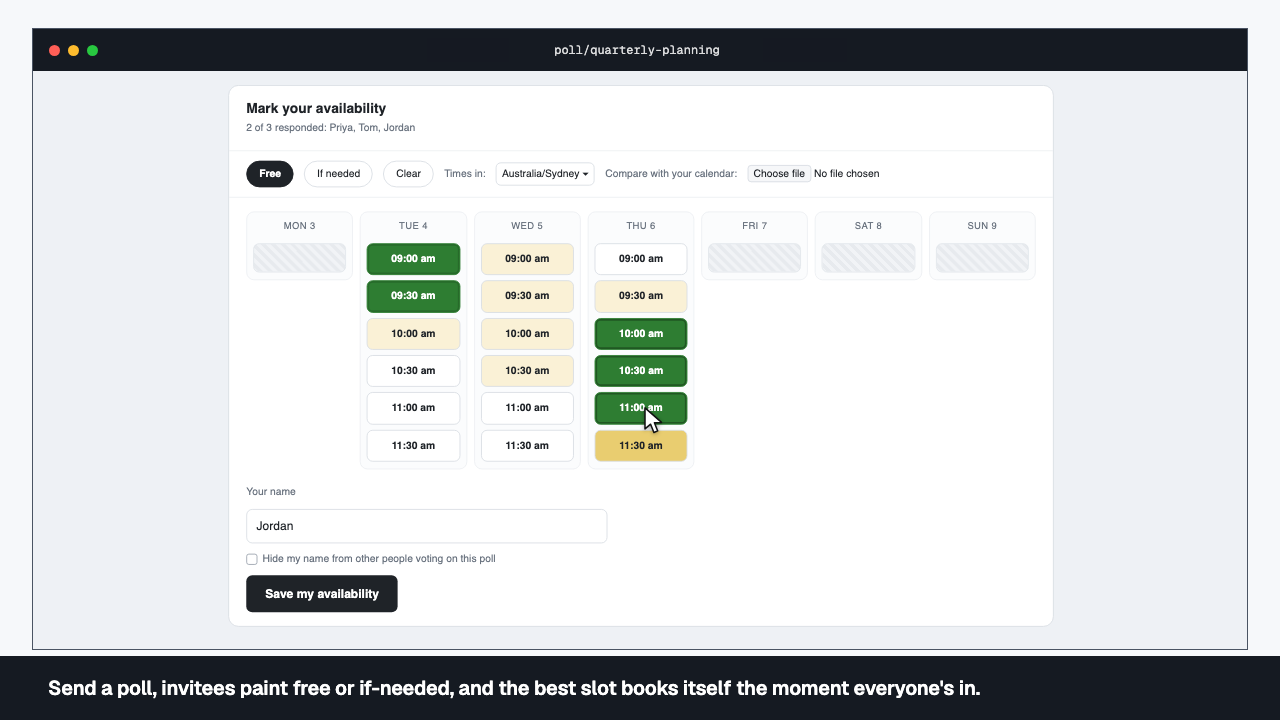
Send a poll, invitees paint free or if-needed, and the best slot books itself the moment everyone's in.
Send the poll. Skip the chase.
No spreadsheet, no chase. Send the poll, let people paint their availability, and Optical books the best slot itself the moment there’s enough to decide — or at the deadline, whichever comes first.
- Propose a duration and a date range; invitees paint free or if-needed on a public grid, no sign-in needed.
- The poll books the best mutual slot itself, either once everyone's answered or at its deadline against whoever has.
- Nudges go out at the deadline minus twenty-four hours, and again at the lifetime midpoint for polls that run over a week.
- A guest-join link and hidden invitees are both supported for polls that go outside your own team.
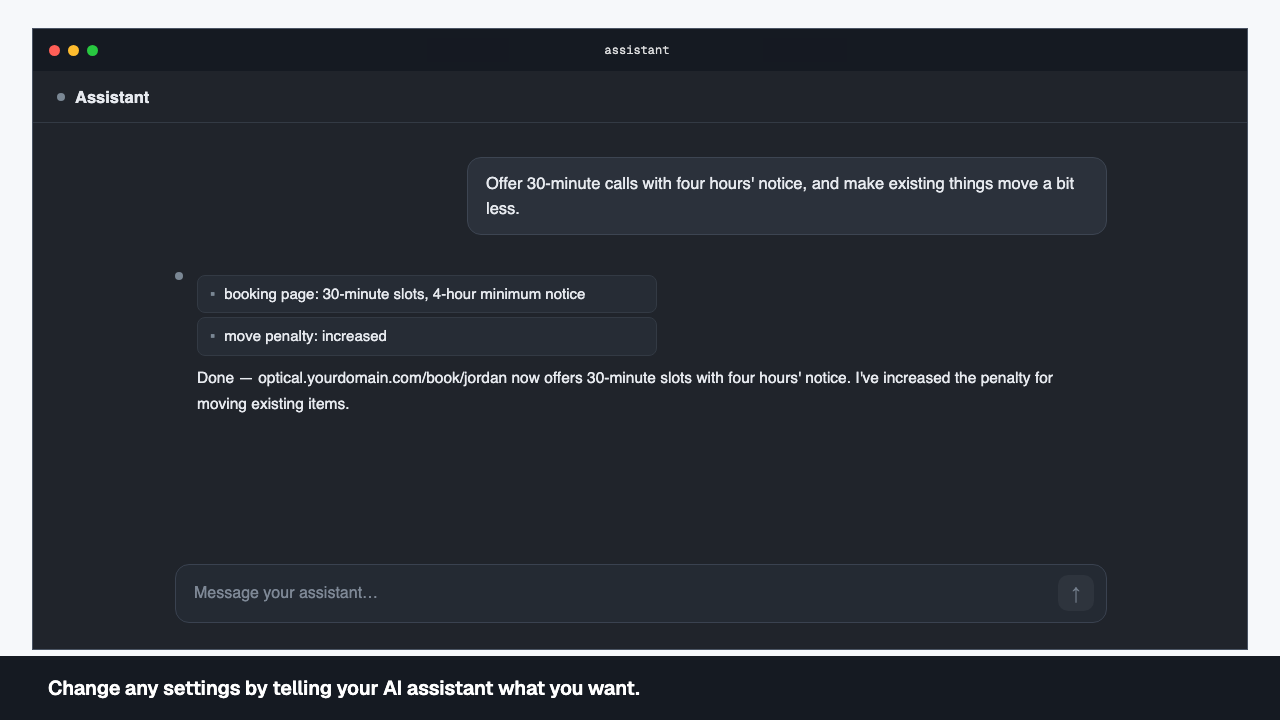
Change any settings by telling your AI assistant what you want.
No settings screen. Just say it.
There’s no settings screen to hunt through. Say what you want changed — how a category of work is scheduled, how readily plans get disturbed, what your booking page offers, what a recurring template generates — and the assistant applies it directly.
- Adjust how a category of work is scheduled — when it's preferred, how much of it you'll take, what it costs to place badly.
- Turn churn tolerance up or down, so Optical either holds your plan steady or resolves more freely as things change.
- Reshape your booking page's durations, buffers and notice period, or update a busy feed, from the same conversation.
- Recurring templates and their timing are editable the same way — no separate admin screen to find.